
Native Windows 11 look
Dark title bar, rounded corners and the Mica backdrop through the system DWM APIs — with a plain background where the OS does not support them.
A media player built for Windows 10 and 11 — a hand-painted Fluent interface, three interchangeable playback engines, and a media library that finds anything instantly. No account. No telemetry. Nothing leaves your computer.
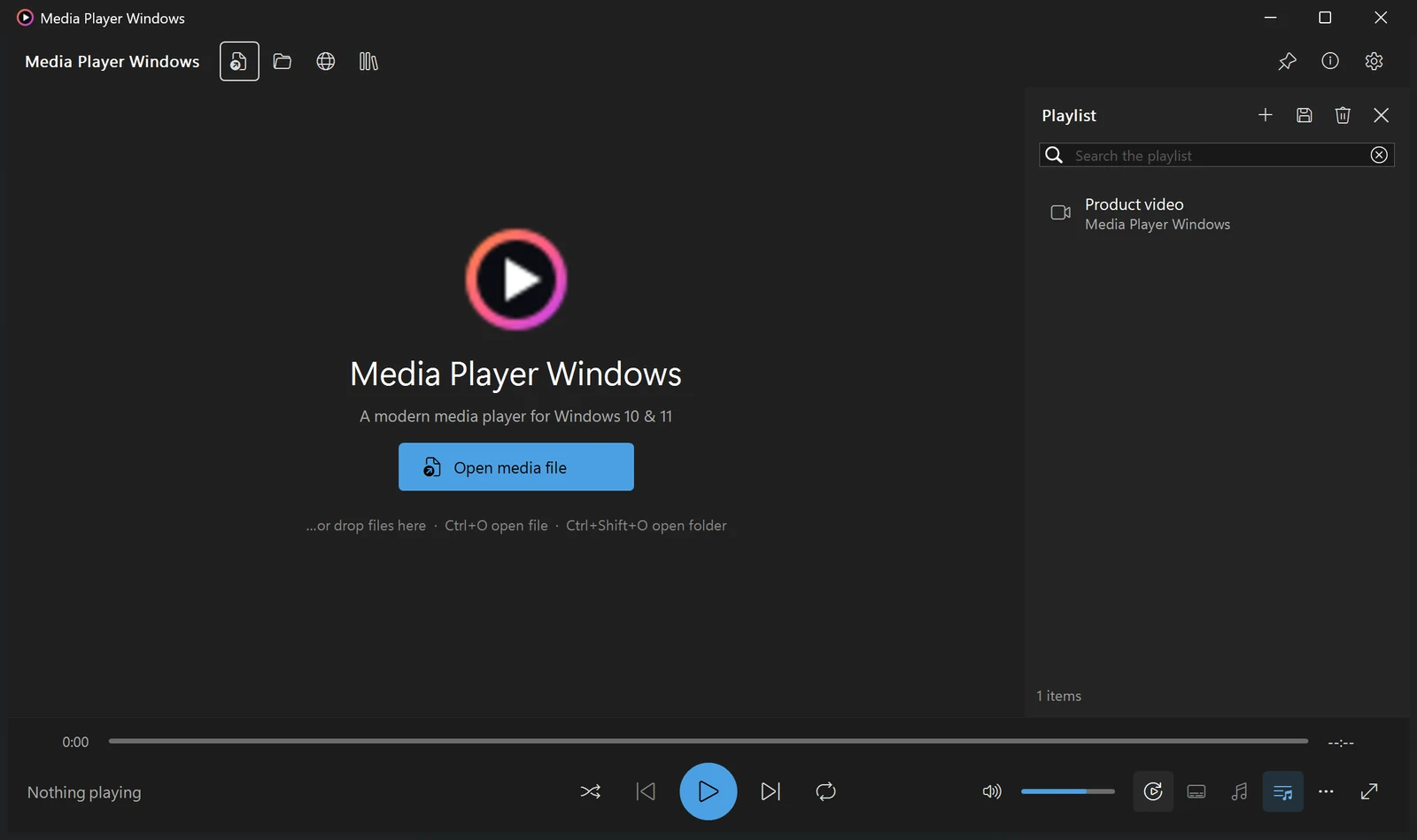
Every control is drawn by the application itself with Direct2D, so it stays sharp at any display scaling and follows your accent colour and light or dark preference.
Dark title bar, rounded corners and the Mica backdrop through the system DWM APIs — with a plain background where the OS does not support them.
Per-monitor DPI awareness with every measurement scaled, not just the fonts. Verified at 200% scaling, where most players start clipping text.
Click a row in the playlist and it plays. Drag to reorder, search to filter, Ctrl-click to select several. No double-clicking required.
Point it at your folders once. Everything is catalogued in a local SQLite index with durations and tags, so search returns while you type.
Playback position, watch history and bookmarks are remembered per file, and the playlist you had open comes back with the window.
Sidecar subtitle files next to the video, and anything in a Subs folder, are found and loaded. Adjust delay in 50 ms steps.
The player talks to one internal interface, so the decoder underneath can be swapped without restarting. Drop in a library for wider format coverage, or use nothing at all and rely on Windows.
Widest format and subtitle coverage, exact seeking and single-frame stepping. Add libmpv-2.dll to the backends\mpv folder.
Broad format support through libVLC, including a hardware equaliser. Uses a matching 32-bit VLC installation if you have one.
The decoders already in Windows, through DirectShow. Nothing to install, nothing extra to license — this is what a fresh install uses.
Coverage depends on the active engine; the list below is what the application recognises.
0.25× to 4× playback speed, frame-by-frame stepping, an A–B loop range, and screenshots saved straight to your Pictures folder.
A 10-band equaliser with eight presets, volume boost above 100%, audio delay adjustment, and output device selection.
Every action has a shortcut, listed in one place with F1. Seek steps, volume, speed, subtitle track and full screen are all one key away.
This is not a positioning statement, it is a property of the build: the application contains no code that opens a network connection on its own.
Details of exactly which files are written, and where, are in the Privacy Policy.
| Operating system | Windows 10 version 1809 (build 17763) or later, and Windows 11. Rounded corners and the Mica backdrop need Windows 11. |
|---|---|
| Disk space | About 170 MB installed. The installer is 49 MB. |
| Privileges | None. It installs into your own user profile, so there is no administrator prompt. |
| Runtime | Nothing to install separately. The Python runtime it needs is included in the installer. |
| Portable use | Supported. Put a file named portable.txt next to the application and it keeps its settings and library in its own folder. |
| Price | Free. |
One installer, four screens, two clicks. It tells you up front what it changes on your computer — including that it starts with Windows and exactly where to switch that off.